

Table of Contents
- What You'll Need Before You Shop
- Wattage Capacity and Power Distribution Logic
- Qi-Certified Wireless Charger Benefits and Compatibility
- Wireless Charging Speed vs Wired Charging
- How to Prevent Overheating With Wireless Chargers
- Design, Port Configuration, and Travel Considerations
- Step-by-Step: How to Choose Your Multi-Device Charger
- Common Mistakes to Avoid
- Frequently Asked Questions
Last Updated: September 10, 2026
What You'll Need Before You Shop
Choosing wireless charging solutions for multiple devices starts with your power budget, not your device count. The common mistake is buying a three-device pad that splits a single low-wattage input across all three coils, leaving every phone crawling.
Before you add anything to a cart, gather four things:
- Your devices' charging specs. Check each phone, watch, and earbuds case for its maximum wireless input. Most phones cap between 7.5W and 15W; watches and earbuds draw far less.
- Your wall adapter's output. A charger is only as fast as the adapter feeding it. Look for the wattage printed on the brick you already own.
- The cable you'll use. USB-C power delivery cables handle far more current than older USB-A cables. A weak cable throttles the whole setup.
- Your case thickness. Cases over roughly 3mm, or any case with metal plates or a magnetic ring, can block the charging coil entirely.
The Qi standard documentation from the Wireless Power Consortium is the reference point for what "Qi-certified" actually means. If a charger doesn't carry that mark, treat its wattage claims with suspicion.
Uniq Trenz offers a diverse and curated selection of trending lifestyle, home, and personal style essentials, including high-performance electronics, so you can find solutions for your device mix.
Wattage Capacity and Power Distribution Logic
Total wattage is not per-device wattage, and this is where most buying decisions go wrong. A 30W three-device charger splits that pool based on what each device requests and what the coils can negotiate.
How Total Wattage Splits Across Devices
Power distribution works like a shared budget. If your phone requests 15W and your watch 5W, a 30W charger has 10W left for a third device. Add a tablet wanting 20W and the charger must ration.
Three rules govern the split:
- The weakest link sets the ceiling. Your wall adapter, cable, and charger each have a maximum. The lowest number wins.
- Priority coils get first claim. Many chargers designate one pad as the "fast" pad and route the bulk of available power there.
- Simultaneous charging rarely means full speed everywhere. Expect reduced rates when every pad is occupied.
The Mechanism Behind the Split
A multi-device charger is several independent coil-and-driver circuits sharing one DC input rail. Each pad handshakes with its device, and the controller allocates incoming wattage across those circuits.
That allocation follows a few predictable patterns:
- Fixed priority. Pad 1 gets first claim up to its rated maximum, then Pad 2, then Pad 3. Common on three-in-one stands where the phone pad is the headline feature.
- Requested-draw pooling. Each device advertises what it wants, and the controller hands out wattage until the input rail is exhausted. Devices that ask for less leave more for the others.
- Equal split fallback. Cheaper units with no real controller simply divide the input evenly. This is the pattern that produces the "everything charges at a crawl" complaint.
A Worked Example
Say you own a phone pulling 15W, a watch pulling 5W, and an earbuds case pulling 3W, a 23W simultaneous load. A 30W charger with a 30W adapter runs all three at requested rates. Drop to a 20W brick and the charger is 3W short, so the lowest-priority pad gets throttled.
Swap the earbuds for a second phone wanting 15W and the load jumps to 35W. On a 30W charger, the second phone lands on a slower pad and settles around 7.5W.
Reading a Spec Sheet Without Getting Fooled
A wattage number is only useful if you know what it describes. Look for three figures, in this order:
- Per-pad maximum. The highest wattage any single pad can deliver on its own.
- Simultaneous total. The combined wattage the charger can sustain with every pad occupied. This is almost always lower than per-pad max times pad count.
- Required input. The adapter wattage needed to hit those numbers. A charger that needs 45W of input will not hit its rated output on the 20W brick in your drawer.
Why This Matters More Than Raw Wattage
A 45W charger routing 15W to the phone pad can beat a 60W charger dividing everything three ways. What predicts real-world experience is the wattage your phone receives while the watch and earbuds are also on the stand.
If you charge overnight, per-pad wattage barely matters. If you expect a usable top-up in an hour, it is the only spec that counts.
Qi-Certified Wireless Charger Benefits and Compatibility
A Qi-certified wireless charger guarantees the device and charger speak the same induction protocol. Certification means the unit passed interoperability testing, so it won't overvoltage a device that negotiates power differently.
Checking Device Compatibility Before You Buy
Compatibility comes down to three checks:
- Standard match. Older devices use baseline Qi. Newer phones may support Qi2, which adds magnetic alignment for a more consistent connection.
- Coil position. Phones with centered coils align easily. Phones with offset coils need a stand that positions the pad precisely.
- Magnetic alignment support. If your phone supports magnetic alignment, a magnetic pad holds it in the optimal spot and prevents the slow drift that kills charging speed.
The FCC guidance on wireless device interference is worth a look if you've had charging dropouts before. Interference from other electronics on the same surface is a real and underdiagnosed cause.
Wireless Charging Speed vs Wired Charging
Wireless charging is slower than wired, and no marketing changes the physics. A wired USB-C connection pushes far more power through direct contact than an induction coil transfers across an air gap.
Here's the practical breakdown:
| Scenario | Typical Speed | Best For |
|---|---|---|
| Wired USB-C fast charge | Fastest | Overnight top-ups, travel days |
| Single-device wireless pad | Moderate | Nightstand, desk |
| Multi-device wireless charger, all pads active | Slowest per device | Overnight charging only |
| Magnetic wireless with alignment | Moderate, consistent | Daily desk use |
The gap matters most when charging several devices at once. Need a phone full in 30 minutes? Plug it in. Setting devices down for the night? Wireless is more convenient.
How to Prevent Overheating With Wireless Chargers
Heat is the enemy of charging speed and battery health. Induction charging generates heat in the coil gap, and a case traps it against the phone's back. On a multi-device charger, several coils share one enclosure, one airflow path, and one thermal budget.
Why Multi-Device Chargers Run Hotter Than Single Pads
Every wireless transfer loses energy as heat. The charger and device coils are not perfectly coupled, so a meaningful share of the power never reaches the battery, it dissipates in the gap, coils, and circuitry.
A single-device pad has one heat source. A three-device stand has three, plus the shared power supply and controller, all in a coaster-sized footprint, three times the waste heat escaping through the same vents.
Case Compatibility and Heat Trapping
Thick cases, metal-backed cases, and cases with embedded magnets are the biggest offenders, each blocks the coil or insulates the phone so heat can't escape.
Case thickness is the most underestimated variable. Extra distance between the phone's coil and the charger's weakens coupling, forcing the charger to push harder, and that effort shows up as heat. A metal plate or magnetic ring concentrates that heat in a small area.
A practical test: charge the phone on the pad for ten minutes with the case on, then again with it off. If the case-on session feels noticeably warmer to the touch, the case is costing you both speed and thermal headroom.
Reading Heat: Safe Throttling vs. a Real Problem
Warm is normal; hot enough to be uncomfortable is a signal. A well-designed charger deliberately slows when warm, that slowdown is a feature, not a fault.
What to watch for:
- Warm to the touch, charging continues. Normal. The charger is managing its thermal budget.
- Noticeably hot, charging slows or pauses. The charger's overheat protection is working. Move it to a hard, open surface and let it cool.
- Hot enough to be painful, smell of hot plastic, or visible discoloration. Stop using it. That is outside the range any reputable charger should reach.
A charger that never gets warm isn't necessarily better, it may simply deliver so little power there's nothing to dissipate.
Practical Ways to Keep Temperatures Down
- Remove the case during charging if it's thicker than a few millimeters, or if it has a metal plate or magnetic ring.
- Avoid charging on soft surfaces like beds and couches, which block airflow underneath and trap heat against the base.
- Choose a charger with overheat protection that throttles power when the coil gets hot, and check that the vents are not blocked by the stand's own design.
- Don't stack devices on top of each other on a multi-device pad, and don't rest a phone on the watch pad.
- Give the charger clearance on all sides. A stand wedged against a wall or under a shelf has nowhere to dump its heat.
- Charge overnight rather than in a hot car or in direct sun. Ambient temperature sets the floor for everything else.
Why This Is the Spec Nobody Advertises
Thermal design is hard to put on a box, so most listings skip it. But it separates a charger that holds rated wattage for an hour from one that drops to half speed after twenty minutes. If a listing mentions thermal throttling, active cooling, or temperature-controlled charging, treat that as a real feature.
Consumer Reports guidance on battery health and charging habits notes that sustained heat exposure is one of the biggest factors in reduced battery lifespan.
Design, Port Configuration, and Travel Considerations
Form factor decides whether a charger earns a permanent nightstand spot or ends up in a drawer. Stands angle devices for viewing and keep the coil aligned; flat pads are more compact and easier to pack.
Port configuration matters too. A single USB-C input is simpler, but passthrough ports let you charge a wired device alongside wireless ones. For travel, look for a folding stand or slim pad that slips into a laptop sleeve.
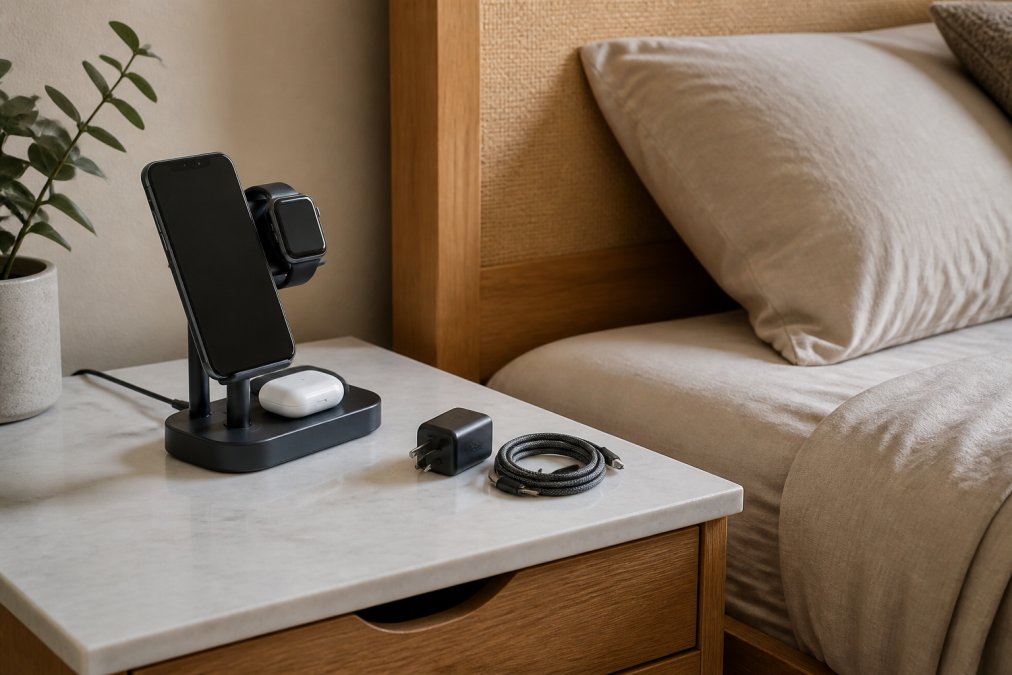
Adapter requirements are the detail most travelers forget. A charger rated for 30W needs a 30W adapter to hit its rated speed. Packing a low-wattage travel brick means every device charges slower.
Step-by-Step: How to Choose Your Multi-Device Charger
Follow these steps to avoid the two most expensive mistakes: too little wattage and the wrong coil layout.
- List your devices and their max wireless input. Write down each device's wattage ceiling.
- Add up the realistic simultaneous load. You rarely charge everything at full speed at once, so estimate a typical evening.
- Match the charger's total output to that load, with headroom. A little extra wattage prevents throttling.
- Confirm the adapter and cable can deliver that wattage. USB-C power delivery is the safest bet.
- Check coil alignment against your specific phone model. Magnetic alignment helps if your device supports it.
- Test your case on the pad before committing to a permanent spot. If it blocks charging, adjust.
- Verify overheat protection and surge protection are listed features. These protect both your devices and your outlet.
Common Mistakes to Avoid
Buying on total wattage alone sinks most purchases. A high combined number means nothing if the charger divides it evenly across pads needing different amounts.
Other frequent errors:
- Ignoring adapter requirements. A charger can't outperform the brick feeding it.
- Assuming all pads charge equally fast. Most multi-device chargers have one priority pad.
- Skipping case compatibility testing. A metal plate or thick case can stop charging completely.
- Placing the charger near other electronics. Interference causes dropouts and slow charging.
- Expecting wired speeds. Wireless charging is a convenience trade-off, not a performance match.
Uniq Trenz curates high-quality, durable, and often compact products, including electronics, designed to enhance daily routines and personal style with ease and confidence.
Frequently Asked Questions
Can you charge multiple devices on a wireless charger at the same time?
Yes, a multi-device wireless charging station with separate coils or pads can charge a phone, smartwatch, and earbuds case simultaneously. Each device needs its own charging coil and magnetic alignment zone. The catch is shared wattage: a 30W station splitting power across three devices gives each far less than a single-device pad would. Check the per-device output rating, not just the total, before buying.
Does a multi-device charger charge slower than a single-device charger?
Often yes, because input power is divided across the coils in use. A 15W single-device pad delivers the full 15W to one phone. A three-device station rated at 30W total might send 10W to the phone, 5W to a watch, and 5W to earbuds. Some stations use power distribution logic that prioritizes the phone first, which keeps phone charging speeds closer to single-device levels.
How do I know if my devices are compatible with a wireless charging station?
Check whether each device supports the Qi standard or Qi2. Most phones released in the last several years do, along with many earbuds cases and smartwatches. Apple Watch models use a proprietary magnetic charger rather than standard Qi, so look for a station with a dedicated Apple Watch module. If a device has no wireless charging coil, it will not charge on any pad regardless of wattage.
Why does my phone get hot on a wireless charging pad?
Induction charging loses energy as heat, and that loss grows when the coil alignment is off or a thick case sits between the phone and pad. Overheat protection and built-in cooling fans help, but placement matters more. Center the phone on the coil, remove thick or metal-backed cases, and avoid stacking the pad on soft surfaces like bedding that trap heat underneath.
The hardest part of choosing wireless charging solutions isn't finding options, it's matching wattage, coil alignment, and case compatibility to the devices you actually own. Uniq Trenz makes that easier with a curated range of compact, travel-friendly electronics and high-quality builds that hold up to daily use. Browse the collection, compare the specs against your device list, and start shopping with confidence.