

Google Home vs Alexa: Smart Home Features Compared
Table of Contents
- Google Home vs Alexa: Core Smart Home Capabilities
- Device Compatibility and Ecosystem Integration
- Best Smart Home Devices for Google Assistant
- How to Set Up Smart Home Routines
- Smart Speaker Privacy Comparison
- Audio Quality and Multi-Room Setup
- Choosing Your Smart Home Hub
Last Updated: August 25, 2026
Google Home vs Alexa: Core Smart Home Capabilities
Google Home uses advanced natural language processing to understand conversational requests, while Alexa relies on more structured voice commands. Google Home's strength lies in understanding context, say "make it cooler" and it infers you're adjusting the thermostat. Alexa requires explicit phrasing like "set the thermostat to 68 degrees." This difference becomes apparent during complex routines involving lighting, temperature, and security systems working in sequence.
Google Home integrates with over 10,000 third-party devices, while Alexa connects with a similar number, though which devices work seamlessly differs by manufacturer. Some optimize for Google's ecosystem, others for Amazon's, which is why many households end up with both platforms.
Google Home typically responds faster to voice commands due to lower latency in Google's data centers. Alexa's cloud processing introduces slightly more delay, though the difference is imperceptible for most everyday use. Privacy approaches differ meaningfully: Google Home stores voice recordings in your Google account with granular deletion options, while Alexa stores recordings on Amazon's servers with less transparent controls. Both encrypt data in transit and at rest.
Device Compatibility and Ecosystem Integration
Device compatibility diverges most dramatically between platforms. A Philips Hue light bulb works flawlessly with both, but some brands optimize specifically for one platform or the other.
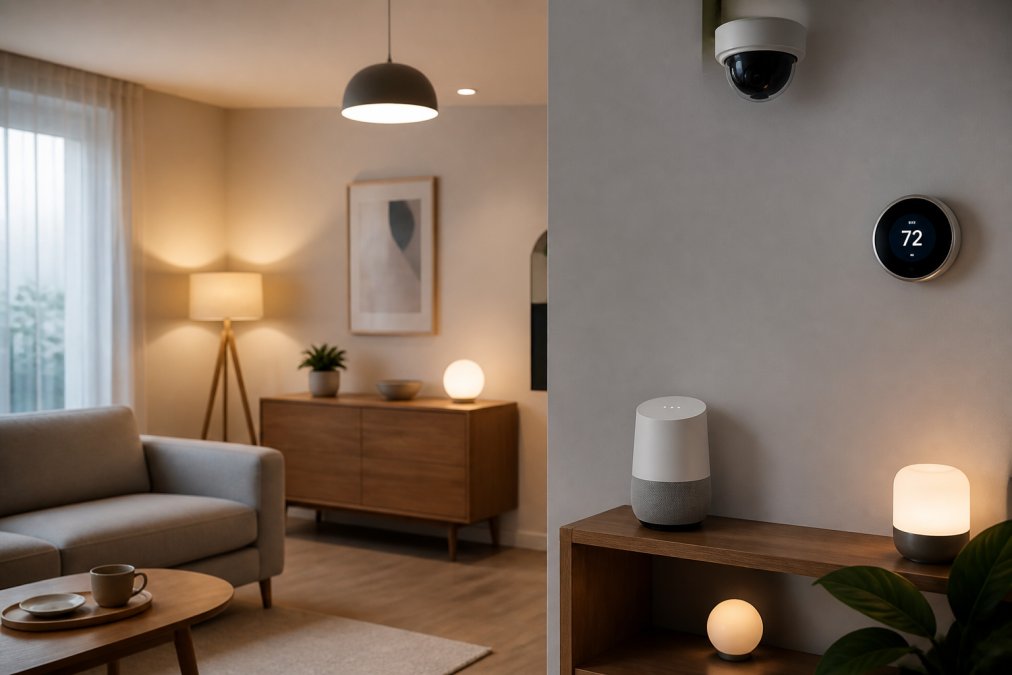
Google Home's ecosystem centers on the Google Home app with a clean, unified dashboard. Adding devices usually means scanning a QR code. Alexa uses a similar approach but feels less polished. Both platforms support Matter protocol and Thread connectivity, reducing lock-in effects that plagued earlier smart home adoption.
If you're invested in Google's hardware ecosystem, Nest thermostats, cameras, doorbells, Google Home provides deeper integration with automation features unavailable through Alexa. Conversely, Amazon Ring cameras and Eero Wi-Fi systems integrate more tightly with Alexa. Before purchasing devices, check compatibility with your chosen platform.
Google Home handles multi-room audio more seamlessly, allowing synchronized playback across grouped speakers directly from the app. Alexa requires more manual configuration, though functionality is comparable once set up.
Best Smart Home Devices for Google Assistant
The Nest Learning Thermostat remains the gold standard for Google Assistant integration, learning your temperature preferences and automating adjustments. Philips Hue bulbs work with both platforms but feel more native to Google Home, allowing seamless scene creation and voice control. LIFX bulbs offer similar functionality at lower cost.
Google Nest cameras integrate directly with Google Home, allowing you to view feeds on Nest displays without additional steps. Automation routines can arm cameras when you leave and disarm them upon return. Smart displays like the Google Nest Hub amplify Google Home's capabilities with visual control and integration to YouTube, Google Photos, and Google Calendar. Door locks compatible with Google Assistant include Yale Smart Lock, Level Lock, and August Smart Lock, enabling voice-controlled access and entry notifications.
How to Set Up Smart Home Routines
A scene is a static configuration; a routine is dynamic, executing a sequence of actions at specific times or triggered by conditions. Most people benefit from routines more than scenes.

To create a routine in Google Home, open the Home app, navigate to Routines, and tap the plus icon. Choose a trigger, a time of day, voice command, or condition like "when I arrive home", then add actions. A "Good Morning" routine might turn on lights, start a news briefing, and set the thermostat to 72 degrees.
Voice-triggered routines are particularly useful. Create a "Movie Time" routine that dims lights, closes smart blinds, and sets the TV input. One command triggers everything. Conditional routines add intelligence: set a routine that triggers when you leave home to turn off lights, switch the thermostat to eco mode, and lock doors automatically.
Add slight delays between actions in complex routines to prevent overwhelming your network. Test routines manually before relying on them, checking that each device responds correctly. For Alexa users, the setup process mirrors Google's approach, though the interface feels less intuitive.
Smart Speaker Privacy Comparison
Google Home's privacy controls center on Google Account settings. You can review, listen to, and delete voice recordings individually or in batches from the Activity section. Alexa stores recordings on Amazon's servers indefinitely unless manually deleted, and batch deletion isn't available, you delete one recording at a time.
Both platforms support on-device processing for commands like "turn off lights," which execute locally without cloud transmission. Both encrypt data in transit and at rest, though encryption alone doesn't prevent company access (nist.gov). Review third-party app permissions carefully; an app requesting access to security cameras doesn't need access to your thermostat.
For maximum privacy, consider smart home devices without voice assistants. Hubs like the Apple HomePod Mini or Samsung SmartThings Hub provide automation through local processing rather than cloud services, eliminating privacy concerns associated with voice recording.
Audio Quality and Multi-Room Setup
Google Home Max and Amazon Echo Studio deliver rich sound suitable for music listening. For casual use, standard Google Home and Echo Dot provide adequate audio quality. Google Home groups speakers seamlessly through the Home app for synchronized multi-room audio. Alexa requires more configuration but works comparably once set up.
Position speakers in rooms where you'll use them most, avoiding corners or enclosed spaces. Elevated placement improves sound distribution. Google Home integrates natively with YouTube Music and Spotify, while Alexa supports Spotify and Amazon Music with less seamless integration. Strong Wi-Fi connectivity is essential; position your router centrally and ensure speakers connect to your 5GHz band. Bluetooth connectivity offers an alternative for portable speakers, though audio quality is lower than Wi-Fi streaming.
Choosing Your Smart Home Hub
A smart home hub serves as the central control point for devices, enabling automation and remote access. Google Home Hub excels at visual control with a 7-10 inch display showing camera feeds and device controls, integrating seamlessly with Google Photos, Calendar, and YouTube. Amazon Echo Hub offers similar functionality with deeper Alexa routine integration and Amazon service integration.
Choose based on ecosystem alignment. If you use Google services extensively and own Nest devices, Google Home Hub is the obvious choice. If you're invested in Amazon's ecosystem, Echo Hub makes more sense. Both support Thread protocol for faster device communication. Local control capability allows device control even if internet fails, preventing your smart home from becoming inaccessible during outages. Google Home Hub uses less power than Echo Hub, translating to lower electricity costs over time (energystar.gov).
Choosing between Google Home vs Alexa smart home features ultimately depends on your existing device ecosystem and personal preferences. At Uniq Trenz, we help customers navigate these decisions by offering a curated selection of smart home devices and accessories that work seamlessly with both platforms. Whether you're starting fresh or expanding an existing setup, our team can guide you toward solutions that enhance your daily routines with reliable automation, intuitive controls, and genuine performance improvements. Explore our smart home collection to find the devices that match your lifestyle, and START SHOPPING to begin building the connected home that works for you.
Frequently Asked Questions
Is Google Home or Alexa better for smart homes?
Neither is universally better, it depends on your priorities. Google Home excels at natural language processing and works seamlessly with Google services and Android devices. Alexa offers broader third-party hardware support and more automation flexibility. Google Home performs better with Google Nest devices and Chromecast; Alexa integrates with more brands overall. Choose based on your existing device ecosystem and which voice assistant's privacy approach aligns with your comfort level.
What are the key differences between Google Home and Alexa for smart home automation?
Google Home uses more intuitive natural language recognition, making complex voice commands easier to phrase naturally. Alexa offers more granular automation through routines and supports more third-party integrations. Google Home's routines are simpler to set up but less customizable. Alexa's smart home hub capabilities are more advanced, allowing offline device control. For Matter and Thread protocol support, both platforms are expanding compatibility, though adoption varies by device manufacturer.
How does smart speaker privacy compare between Google and Alexa?
Google Home stores voice recordings in your Google account with granular privacy controls accessible through your account settings. You can delete recordings and disable audio storage. Alexa stores recordings on Amazon's servers with similar deletion options. Both allow you to mute microphones physically. Google processes more data on-device, while Alexa relies more on cloud processing. Review each platform's privacy dashboard regularly, both let you control which data is retained and how it's used.
Which smart home ecosystem has better device compatibility?
Alexa supports more third-party hardware brands overall, with compatibility across thousands of devices from manufacturers like Philips Hue, LIFX, and Ecobee. Google Home works best within the Google ecosystem (Nest products) but has expanded compatibility with Matter-certified devices. For maximum flexibility with non-Google brands, Alexa typically offers more options. However, if you're invested in Google services and own Nest products, Google Home provides tighter integration and simpler setup.
This article was written using GrandRanker